
Timelapse Gallery


See Your Building Take Shape
Construction projects span months or years, making it difficult to appreciate day-to-day progress. Site photos pile up in camera rolls and cloud folders, rarely organized into a coherent visual story.
How the Timelapse Gallery Works
Site Diary AI automatically organizes your project photos into timelapse sequences. Every photo uploaded to the timeline is available in the gallery, sorted chronologically.
Browse through your project’s visual history, compare early stages to current progress, and see the transformation unfold photo by photo.
Visual Progress at a Glance
- Chronological photo sequences: See your project evolve from foundation to completion
- Before-and-after comparisons: Compare any two points in time side by side
- Gallery view: Browse all project photos in a clean, organized grid
- Mobile-friendly: Review timelapse sequences on any device
Key Benefits
- Impress clients: Visual progress updates are more compelling than written reports
- Track milestones: See exactly when key phases were completed
- Spot issues: Compare photos over time to identify unexpected changes
- Marketing material: Use timelapse sequences for your company’s portfolio
- Zero extra effort: The gallery builds itself from photos you’re already taking
Use Cases
Client Presentations
Show prospective and current clients the visual transformation of your building projects. A timelapse gallery demonstrates your team’s capabilities far more effectively than a written portfolio.
Project Milestones
Track completion of key phases (foundation, framing, roofing, finishes) with dated photos that document when each milestone was achieved.
Quality Assurance
Compare photos from different dates to verify that work was completed correctly and that no unexpected changes occurred between inspections.
Frequently Asked Questions
How are timelapse sequences created?
Site Diary AI automatically compiles photos from your project timeline into chronological timelapse sequences. You can also select specific photos to create custom timelapses.
Can I share timelapses with clients?
Yes. You can share timelapse sequences directly from the gallery. For public sharing without requiring a login, use the Shared Timelapse feature to generate a public link.
What image formats are supported?
Site Diary AI supports all common image formats including JPEG, PNG, and HEIC. Photos are automatically optimized for the timelapse gallery.
Can I download timelapse sequences?
Yes. You can download individual photos or entire timelapse sequences from the gallery.
Explore More Features

Shared Timelapse
Share construction progress publicly with a timelapse link. Clients, family, and partners can follow your build without logging in.

Site Diary Timeline
Document daily construction progress with photos, videos, voice memos, and notes in Site Diary AI's intuitive chat-style timeline.
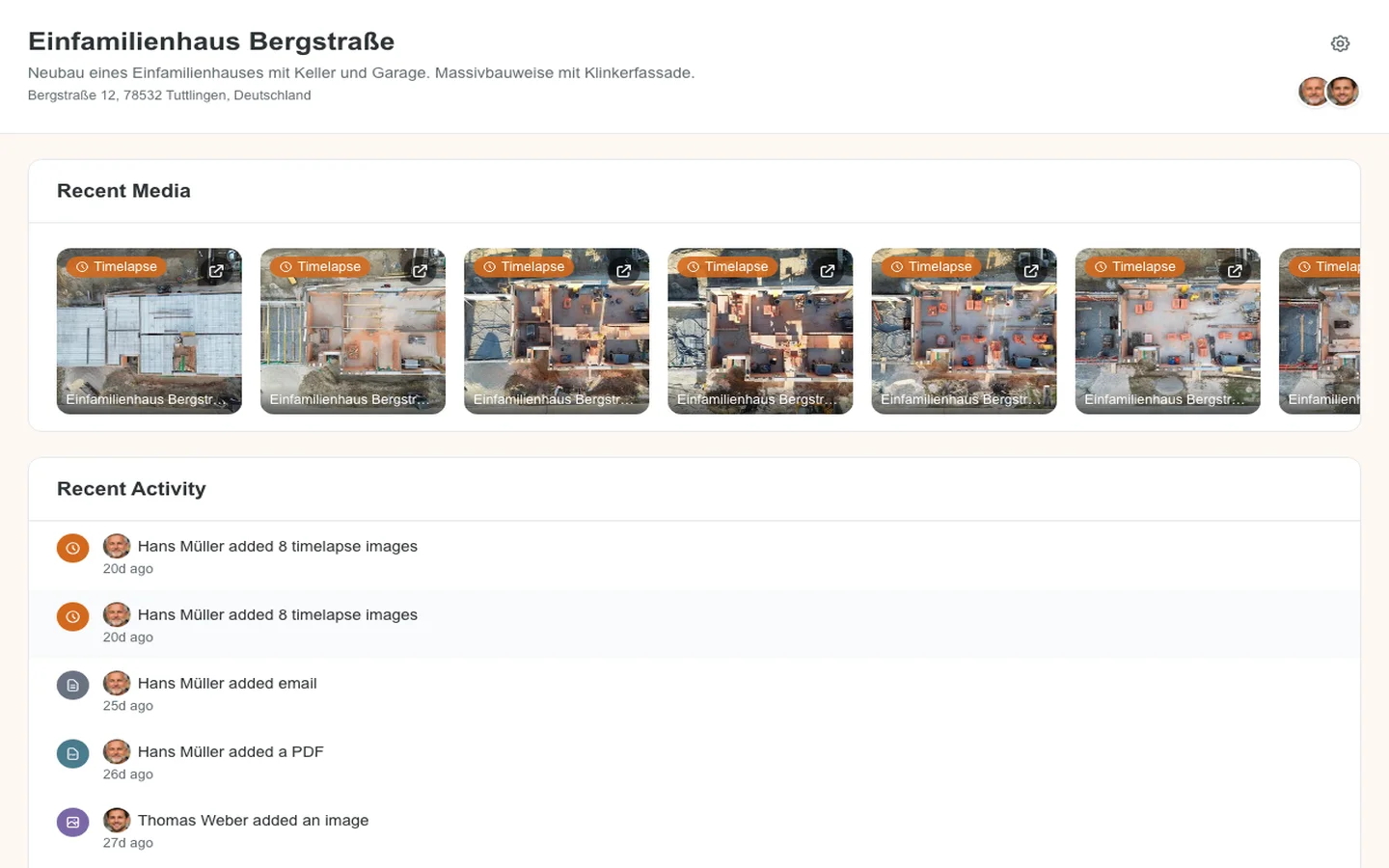
Project Dashboard
Get a complete overview of your construction project with recent media, activity feed, and key statistics at a glance.